How to Choose the Right Patch Cord Cable?
Choosing the right patch cord cable is less about buying the highest category and more about matching the cable to its job. A cord connecting a desktop to a wall outlet has different demands from one routed through a busy equipment rack. Connector type, cable category, length, and installation conditions all matter. Small mismatches can cause frustrating link problems.
Start with compatibility. Check the ports at both ends, the network speed you need, and the category supported by your equipment. Then choose a practical length: excess cable can clutter a cabinet, while a cord pulled tight may strain its connectors. For crowded racks, a slim or flexible design may be easier to route. In electrically noisy areas, shielding could help, but only when the connected equipment and grounding are suitable. More protection is not automatically better.
Check the manufacturer’s specifications and test results, especially for permanent or high-traffic installations. A neat label and clear category marking make future maintenance easier. Avoid relying on color, price, or packaging claims alone. Details matter. Even a well-chosen cord cannot correct a faulty port, damaged jack, or poor installation elsewhere in the link. That part is easy to overlook. This guide explains how to compare patch cord cable options, identify trade-offs, and choose a dependable fit for your setup without paying for features you may never use. A little uncertainty remains: real performance depends on the complete channel, not the cord by itself.
Determine the Application and Required Network Performance
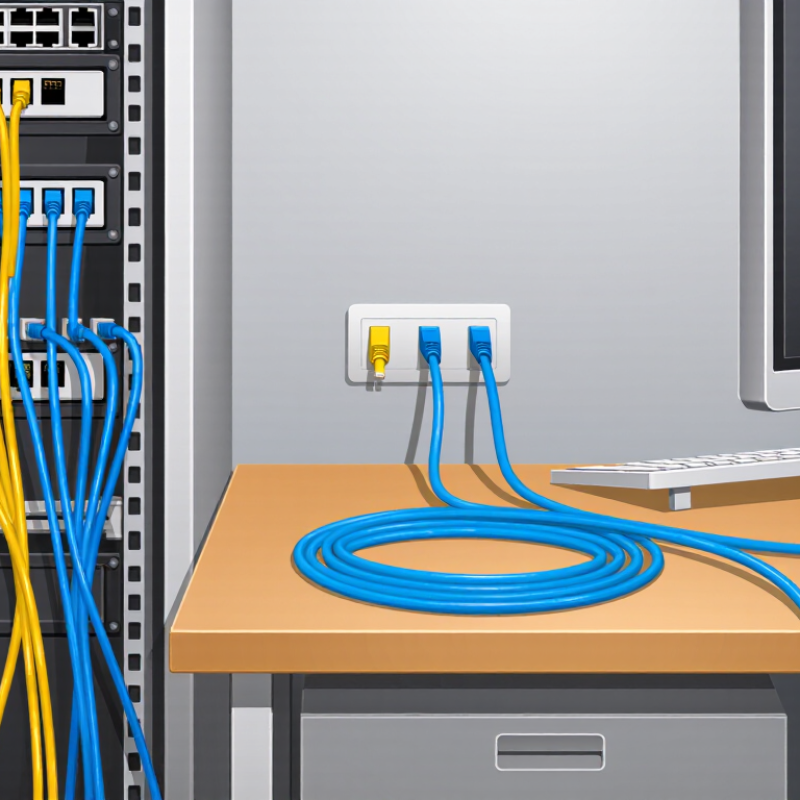
When choosing a patch cord, start with the devices it will connect and the work they perform. A desktop used for everyday office tasks may need less capacity than a server uplink carrying large backups. Check the port speed and cabling standard at both ends, then choose a cord that supports them. Cat6 can support 10-gigabit links over shorter distances, but performance depends on the full channel and installation conditions. Cat6A is designed for 10-gigabit Ethernet over longer copper runs. Keep the complete cable path in mind, not just the patch cord. Small details matter.
Also consider the physical setting. A cord behind a desk may need flexibility, while a rack connection benefits from a measured length that avoids tight coils and blocked airflow. For Power over Ethernet, confirm that the cable is rated for the expected power and installation conditions. Shielding is useful in some electrically noisy environments, but only when the system is properly designed and grounded. For fiber links, match the cord to the transceiver type, fiber mode, and connector. Specs do not tell the whole story. If you are unsure, check the equipment documentation and measure the route; guessing cable length is an easy mistake.
Choose the Appropriate Cable Category and Construction
How to Choose the Right Patch Cord Cable?
Choose the Appropriate Cable Category and Construction
Start with the network equipment and the speed it must support. Category ratings indicate performance limits, but the weakest component can limit the connection. Match the patch cord category to the ports and installed cabling, rather than choosing by appearance. For a short desk connection, a higher category may add little practical benefit. Distance matters.
Consider the cable’s construction and route. Stranded conductors bend more easily, making them useful for cords that move between a switch and nearby equipment. Solid conductors are generally suited to fixed runs, not repeated flexing. Check the jacket rating for the installation location, especially where cables pass through ceilings or other building spaces. Follow the applicable site specifications.
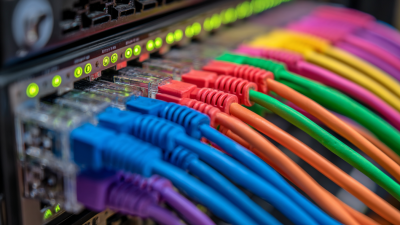
Shielding is not automatically better. It can help in electrically noisy environments, but only when the system’s grounding and connectors are designed for it. Otherwise, an unshielded cord may be the simpler choice. Flexibility matters. A slim cord can fit crowded racks, yet may be less rugged under frequent handling. A neat cable tray can still hide a poor fit: verify connector clearance, bend radius, and the actual path before ordering. Specification sheets are useful, but the installation details are easy to overlook.
Match Connector Types to the Devices and Ports
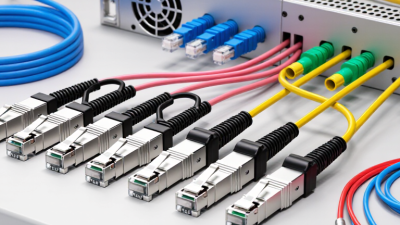
Before ordering a patch cord, inspect both ends of the connection, not just the equipment label. A switch may have RJ45 copper ports, while an optical transceiver may require LC or SC connectors. They are not interchangeable. Check the port markings or equipment documentation, then confirm the connector shape and latch. For fiber, verify the specified polish type, such as UPC or APC.
Match the cable itself to the port and link requirements. Copper Ethernet ports need a compatible twisted-pair cord and suitable category rating. Fiber links require the correct fiber type, usually single-mode or multimode, and the right number of strands. Duplex fiber cords also need the correct transmit-and-receive polarity. Small details matter. A connector can fit physically yet still be unsuitable for the optical interface.
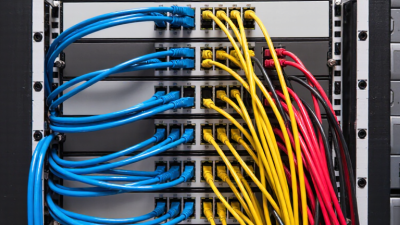
Measure the route, including turns around rack rails, and leave a little slack without tightly coiling the cord. Tight bends can strain the cable, especially fiber. Before installation, compare both connector ends with the device ports and inspect them for dust or damage. I would still double-check the documentation when labels are unclear; connector names alone do not tell the whole story.
Select a Suitable Length and Installation Environment
Measure the route along the rack, tray, and service path, not across the room in a straight line. The Telecommunications Industry Association’s ANSI/TIA-568.2-D standard specifies a 100-meter maximum channel for balanced twisted-pair cabling, including patch cords; the permanent link is typically limited to 90 meters. Treat that as a channel limit, not a patch-cord target. Add only enough slack for equipment movement and future maintenance. Too much cable creates loops that obstruct airflow and complicate tracing. A neat drawing can still miss a door swing or a moving rack shelf.
Match the cord’s construction to its installation environment. For fiber, the Fiber Optic Association’s reference guidance commonly uses a minimum bend radius of about 10 times the cable diameter after installation; check the cable specification, since designs vary. Avoid tight bends, crushed sections, and sharp tray edges. In ceiling spaces, outdoor pathways, or areas exposed to moisture, heat, or chemicals, verify that the jacket is rated for those conditions. One imperfect habit worth resisting: choosing by color or appearance alone. Measure again. The extra minute can prevent a strained connector or a cord that cannot reach its port.
Check Compatibility, Standards, and Build Quality
Choosing a patch cord starts with the equipment at both ends. Check connector type, gender, and wiring before ordering; a familiar-looking plug may still be incompatible. For copper links, match the cord’s category to the network equipment and required channel performance. For fiber, verify fiber type, connector polish, and polarity. Fit matters. A short cord can strain a port if the rack layout leaves no slack, while excessive length creates tangled loops that block airflow.
Standards help separate verified performance from a label printed on a jacket. Look for clear specifications and test documentation that match the intended application. Then inspect construction: flexible cable should bend without kinking, and connectors should sit firmly without wobbling. Strain relief matters near the plug, where repeated movement can damage conductors or fiber. Check that the jacket rating suits the installation environment, especially around heat, tight cable trays, or frequent handling. For fiber, clean end faces and protective dust caps are easy to overlook. I’d still recheck compatibility after choosing a length; that step feels repetitive, but it can prevent an avoidable replacement.