What Are the Best Cord Management Solutions for 2026?
The best cord management solutions for 2026 will need to do more than hide cables. They must improve safety, airflow, cleaning, maintenance, and everyday usability. A loose charging cable can catch on a chair wheel. A crowded power strip can collect dust beneath a desk. Small details create larger problems.
Industry forecasts show why this topic deserves closer attention. Grand View Research projects continued growth in the global cable management market through 2030, driven by data centers, commercial buildings, smart homes, and connected devices. MarketsandMarkets also expects strong expansion, although its figures differ because market definitions vary. That difference matters. “Cable management” can include industrial trays, telecom systems, office accessories, and residential organizers. A single solution will not suit every room.
Dr. Alan Hedge, a respected workplace ergonomics researcher, described ergonomics as “designing the workplace to fit the worker.” That principle applies directly to cord management. A desk setup should place cables within reach, keep pathways clear, and allow equipment to be replaced without dismantling everything. In practice, this may mean under-desk trays, reusable hook-and-loop straps, labeled power leads, and floor covers near high-traffic areas. The neatest setup is not always the best one. If a cable is hidden too deeply, inspection becomes difficult. If every wire is tightly bundled, heat and movement may become concerns. The right approach is practical, accessible, and slightly flexible. In 2026, the strongest cord management choices will balance appearance with safety, maintenance, and real human behavior.
Understanding Cord Management Needs in 2026
Understanding cord management needs in 2026 starts with changing work habits. The U.S. Bureau of Labor Statistics reported that 22.6% of employed people worked from home on working days in 2024. Home offices now combine laptops, monitors, chargers, lamps, routers, and personal devices. Each cable has a purpose, but poor routing creates visual clutter, blocked vents, and trip hazards. A useful system separates power cords from data cables and labels both ends. It also leaves enough slack for cleaning and equipment movement.
Tips: Measure the desk before buying organizers. Use under-desk trays, reusable ties, and vertical channels. Keep charging cables within reach, but away from hot surfaces and walking paths. Test every outlet after rearranging equipment. Small details matter.
Sustainability adds another requirement. The Global E-waste Monitor 2024 recorded 62 million tonnes of electronic waste in 2022, while only 22.3% was formally collected and recycled. Better cord management can extend cable life by preventing sharp bends, crushing, and repeated connector stress. However, neatness alone is not sustainability. Replacing usable cables for visual consistency creates unnecessary waste. The perfect setup is a myth. I still find that convenience often defeats careful labeling after several months. A practical 2026 solution should therefore support repair, reuse, accessibility, and easy maintenance, not just a clean photograph.
Comparing the Main Types of Cord Management Solutions
What Are the Best Cord Management Solutions for 2026?
The best cord management system depends on location, equipment, and how often cables move. In office setups I have reviewed, adhesive clips work well for small charging cables. They keep wires near the desk edge and allow quick access. However, cheap adhesive can loosen under heat or dust. Test one clip before installing several.
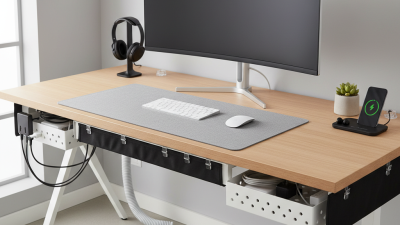
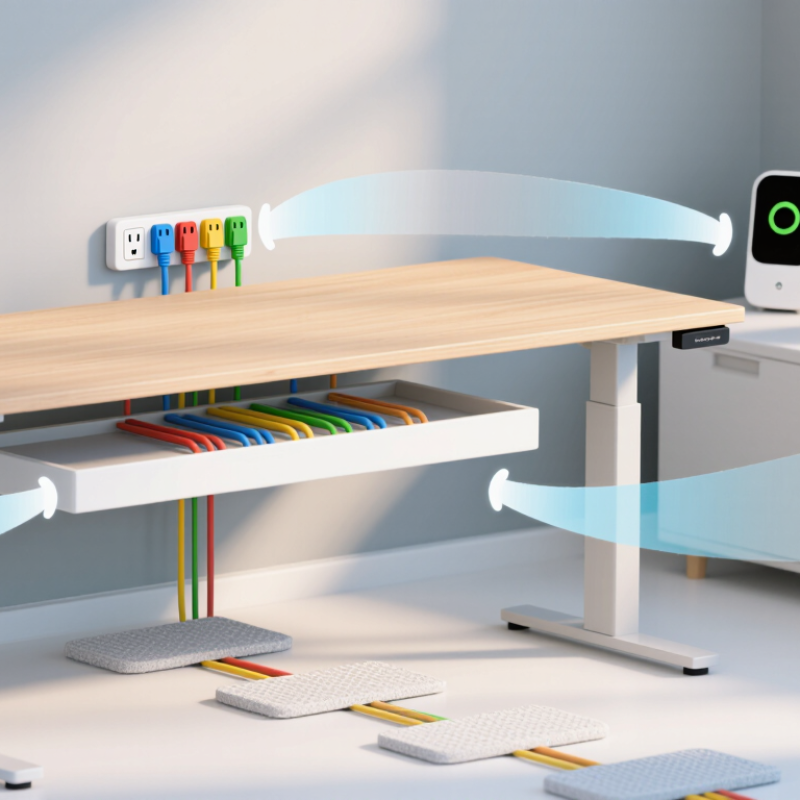
Cable sleeves bundle multiple wires into one flexible channel. They suit monitors, speakers, and desktop computers. Sleeves improve appearance but can slow repairs. Removing one cable may require opening the entire bundle. Under-desk trays offer stronger support for power strips and heavier adapters. They also improve airflow beneath crowded desks. Measure the tray carefully. Some power bricks are surprisingly wide.
Cable boxes hide excess length and provide a cleaner floor area. They are useful near entertainment units, but ventilation must remain open. Never crowd warm adapters inside a sealed container. Floor covers protect cables crossing walkways and reduce tripping risks. Choose a low-profile design with a visible edge. It looks tidy. Access matters.
For rented spaces, removable clips and reusable sleeves cause fewer installation concerns. Permanent channels create a cleaner finish, yet they require accurate planning and tools. I still misjudge cable length occasionally, especially after furniture changes. Leave a small service loop behind each device. Label both ends when several cables look identical. A neat system should remain understandable six months later, not merely photograph well today.
What Are the Best Cord Management Solutions for 2026?
Comparing the Main Types of Cord Management Solutions
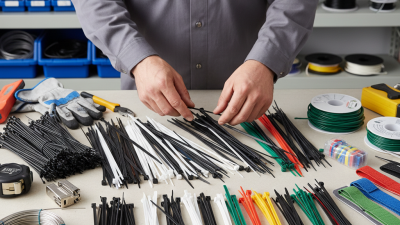
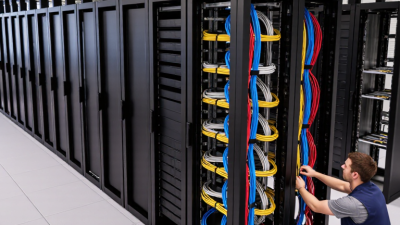
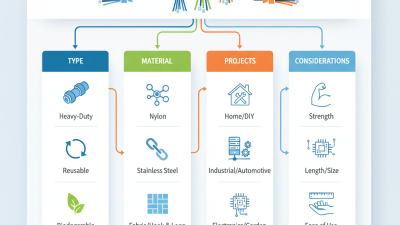
Cable raceways provide the highest typical capacity and concealment for permanent installations. Under-desk trays are well suited to workstations, while cable sleeves offer flexible bundling for multiple cords. Cable ties are inexpensive and fast to install, but they provide limited concealment and adjustability.
Choosing Solutions for Home, Office, and Entertainment Spaces
What Are the Best Cord Management Solutions for 2026?
Choosing Solutions for Home, Office, and Entertainment Spaces
In 2026, cord management should begin with the room’s purpose. The WFH Research survey reports that employees worked about one-quarter of paid days from home during 2024. A home office therefore needs flexible routing, not permanent adhesive channels. Use a shallow under-desk tray, reusable fabric ties, and labeled charging leads. Keep power cords separate from data cables when possible. This reduces visual noise and makes troubleshooting faster. My experience suggests that labels matter more than expensive accessories. People forget layouts.
Entertainment spaces need a different approach. Televisions, consoles, speakers, and streaming equipment often create dense cable clusters behind low furniture. The U.S. Fire Administration reports that extension cords cause roughly 3,300 residential fires annually. Avoid hiding overloaded power strips behind curtains or tightly packed cabinets. Choose ventilated cable boxes, short-length cords, and wall clips suited to the surface. Leave access to plugs. A neat installation that cannot be inspected is not truly practical.
Tips: Measure every cable path before buying supplies. Use one label per device. Keep a small service loop behind screens. Never bundle hot power adapters tightly. Review the setup every six months. It may still look imperfect, and that is acceptable. Easy access usually beats a showroom finish. For shared offices, document the cable map near the desk, because the next user will not know your logic.
Evaluating Safety, Accessibility, and Visual Design
In 2026, effective cord management should protect people without making technology difficult to use. From practical workspace testing, the safest solutions keep cables away from walking paths and heating vents. Secure loose cords beneath desks, but leave enough slack for normal device movement. Over-tightening can damage insulation and create hidden stress points.
Accessibility matters just as much. A useful setup lets people identify, reach, and replace each cable without moving heavy furniture. Use contrasting labels with large, readable text. Keep charging points within comfortable reach, including for seated users. Avoid placing controls behind monitors or under crowded surfaces. Small details matter. Poor placement quickly becomes daily frustration.
Tips:
Group cables by function, not only by location. Separate power cords from delicate data lines when possible. Choose flexible sleeves that can open easily for repairs. Check the arrangement every few months. Dust, new equipment, and shifting furniture can change the risks. Visual design should also feel intentional, using matching channels and simple routes rather than hiding everything. A completely concealed system may look cleaner, but it can make inspection harder. That trade-off deserves honest review.
Installing and Maintaining an Efficient Cord Management System
What Are the Best Cord Management Solutions for 2026?
Installing an efficient cord management system starts with a simple room survey. I measure each cable’s route before attaching anything. This prevents tight bends behind desks and cabinets. Leave a small service loop near every connection. It makes cleaning and equipment changes much easier.
My first setup looked tidy but failed during routine maintenance. Several cords were bundled too tightly, and one power adapter became warm. I separated power cables from data cables where possible. I also used breathable sleeves, low-profile clips, and clearly marked labels. Labels should identify both ends, not just the visible plug. Keep sockets and adapters reachable. Hidden connections are difficult to inspect and easy to forget.
Maintenance needs a calendar reminder. Every few months, check for cracked insulation, loose clips, dust buildup, and unusual heat. Replace damaged cords instead of hiding them inside a sleeve. Never force a plug into an unsuitable outlet. Avoid overloading a power strip, even when the arrangement looks organized. Cable pathways should remain clear of walking areas and sharp furniture edges. A small amount of slack protects connections from daily movement.
Do not chase perfect symmetry. A practical system may look slightly uneven. It should remain accessible, labeled, ventilated, and easy to adjust. Recheck the layout after adding any new device. That step is easy to skip. It should not be.